What Makes a Good Password? Length, Entropy, and Randomness
Learn what actually makes a password good: length, randomness, uniqueness, and entropy. Debunks common myths and explains NIST 2024 password guidelines.
- password
- security
- password strength
- entropy
- nist
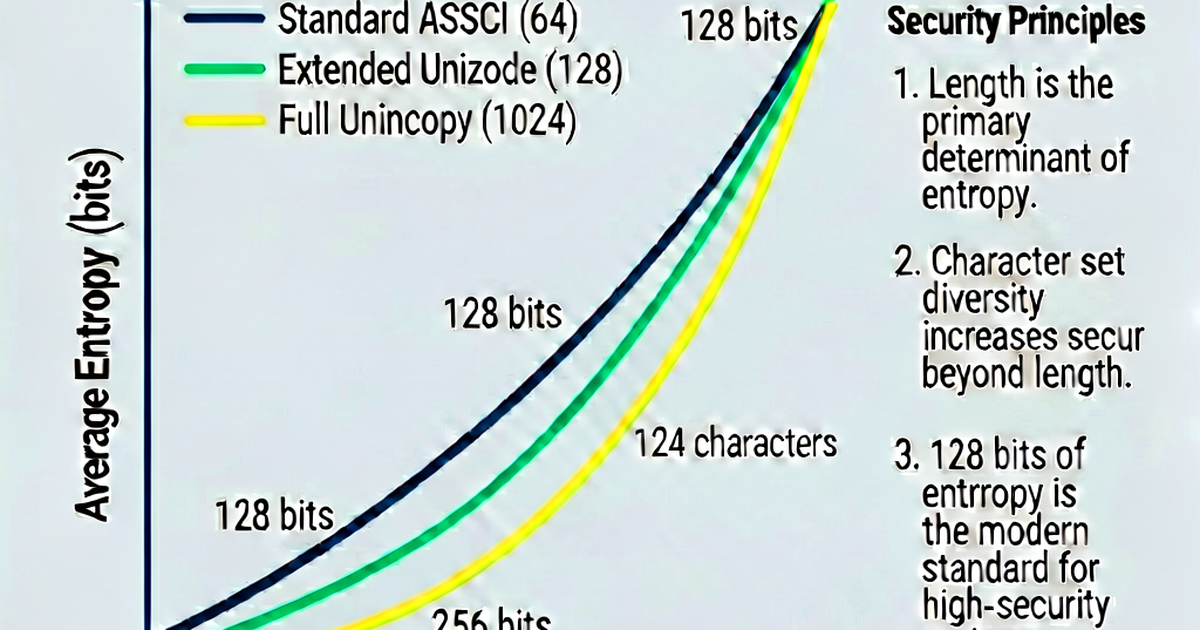

Most password advice is wrong. Mandatory complexity rules, 90-day rotations, and the idea that P@$$w0rd is secure — these are security theater. Here’s what research and modern guidelines actually say.
The three things that matter
1. Length
Every additional character multiplies the number of possible combinations. Going from 12 to 20 characters (with the same charset) doesn’t add 8 more possibilities — it multiplies by 95^8 (about 66 quadrillion times harder to brute-force).
12 chars × 95 options = 95^12 ≈ 5.4 × 10^23 combinations
20 chars × 95 options = 95^20 ≈ 3.6 × 10^39 combinations
Modern NIST guidelines recommend:
- Minimum 15 characters for general use
- No maximum below 64 characters
- Allow up to 64+ characters
2. Randomness
Humans are bad at picking random passwords. We gravitate toward:
- Common words and names
- Predictable substitutions (
a→@,e→3,o→0) - Patterns and sequences
- Personal information
Attackers know all of this. Modern cracking tools use wordlists of millions of passwords and rules that generate variations:
password, P@ssword, P@ssw0rd, Passw0rd!, p4$$w0rd, Password1!All of these would be cracked in seconds with a modern GPU.
True randomness requires a computer. A cryptographically secure random number generator (CSPRNG) makes passwords that don’t follow any human pattern.
3. Uniqueness
Reusing passwords across sites means a breach of one site compromises all of them. In credential stuffing attacks, attackers buy breach databases and automatically test the credentials on every major service.
If you reuse your email + password from a small breached site, attackers will test it on your bank, Google account, and everything else.
The solution: a unique password for every account, managed by a password manager.
What doesn’t matter (much)
Complexity rules
Adding symbols doesn’t help as much as adding length. Tr0ub4dor&3 (11 chars with symbols) is weaker than correcthorsebatterystaple (25 chars, words only) because humans predictably apply complexity rules.
NIST now explicitly recommends not using composition rules like “must contain uppercase, number, and symbol.” These frustrate users without meaningfully improving security.
Periodic rotation
Forcing password changes every 90 days doesn’t help — it leads to incremental variations (password1 → password2 → password3) that are easy to guess. NIST recommends only changing passwords when there’s evidence of compromise.
Complexity theater
P@$$w0rd! looks complex but is in every cracking wordlist. xK9#mQ2vN!pL7r4 looks similar in appearance but is genuinely random — and those two passwords are very different in actual security.
Password strength testing
Password strength meters on websites are often misleading. They test for complexity (uppercase, numbers, symbols) rather than randomness. A genuinely random lowercase-only password may score lower than a predictable “complex” password.
True entropy calculation:
import math

def entropy(charset_size, length):
    return length * math.log2(charset_size)

# 12-char password, lowercase + digits (36 options)
print(f"{entropy(36, 12):.1f} bits")   # 62.0 bits

# 12-char password with all printable ASCII (95 options)
print(f"{entropy(95, 12):.1f} bits")   # 78.9 bits

# 20-char password with all printable ASCII
print(f"{entropy(95, 20):.1f} bits")   # 131.5 bits
For online accounts (where lockouts exist after a few failed attempts), even 40 bits of entropy is adequate. For offline attacks (where an attacker has the password hash), 80+ bits is recommended.
Checking if your password has been breached
Have I Been Pwned (haveibeenpwned.com) lets you check if your password appears in known breach databases. It uses k-anonymity — only a hash prefix is sent, so your actual password is never transmitted:
import hashlib
import urllib.request

def check_pwned(password: str) -> int:
    sha1 = hashlib.sha1(password.encode()).hexdigest().upper()
    prefix, suffix = sha1[:5], sha1[5:]
    url = f"https://api.pwnedpasswords.com/range/{prefix}"
    with urllib.request.urlopen(url) as r:
        hashes = r.read().decode()
    for line in hashes.splitlines():
        h, count = line.split(':')
        if h == suffix:
            return int(count)
    return 0

count = check_pwned("password123")
print(f"Found {count} times in breach data")
Any password found in breach databases should never be used.
The good password checklist
- At least 16 characters long
- Generated by a CSPRNG (not chosen by you)
- Unique — not used anywhere else
- Not in known breach databases
- Stored in a password manager (not memorized, not written down)
- Protected by multi-factor authentication on the account
Generate passwords that meet all these criteria at passwordgen.io.
Related reading
-
Passphrase vs Password: Which Is More Secure?
Compare passphrases and passwords by entropy, memorability, and attack resistance. Learn when to use a passphrase, how Diceware works, and NIST recommendations.
-
How to Create a Strong Password: A Practical Security Guide
Learn what makes a password strong in 2026: length, randomness, uniqueness, and manager use. Covers NIST guidelines, entropy, and what to avoid.
-
Password Generator: How to Generate Strong Passwords Online and in Code
Learn how to generate strong passwords online, in Python, JavaScript, and Bash. Covers cryptographically secure randomness, character sets, and length best practices.