How Are Passwords Hashed? bcrypt, Argon2, and PBKDF2 Explained
Learn how password hashing works with bcrypt, Argon2, and PBKDF2. Covers salting, work factors, why MD5/SHA1 are wrong, and how to implement secure password storage.
- password hashing
- bcrypt
- argon2
- security
- cryptography
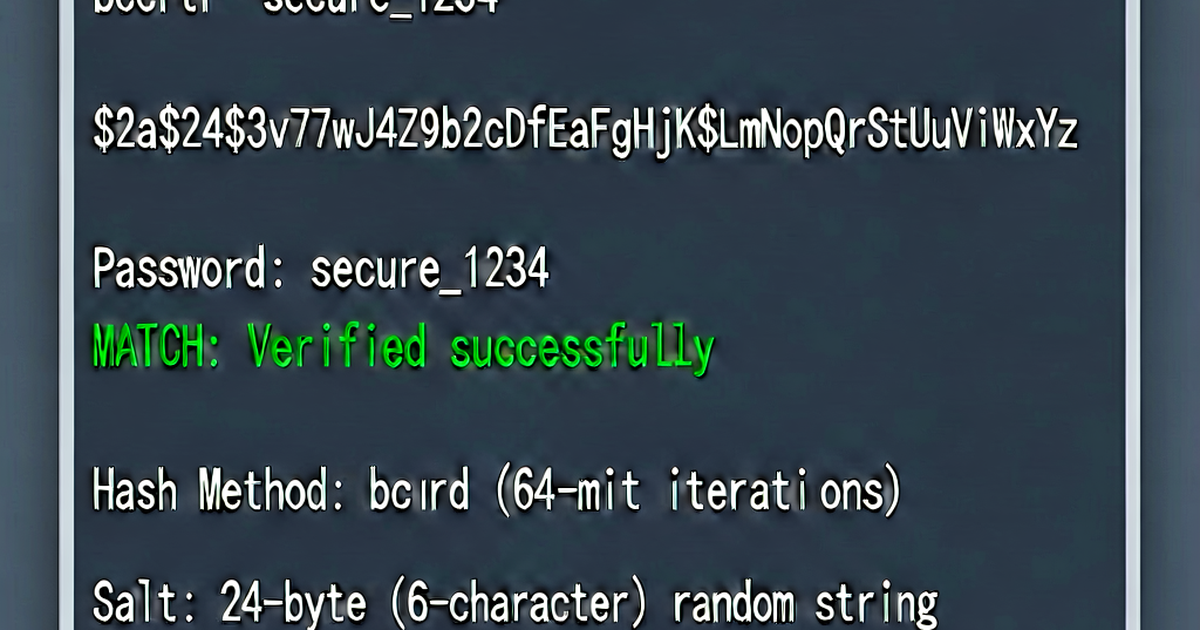
Passwords should never be stored in plaintext or encrypted. They should be hashed using a slow, purpose-built algorithm. This guide explains why and how.
Why not store passwords in plaintext or encrypted?
Plaintext: If the database is breached, every user’s password is immediately exposed.
Encrypted: Encryption is reversible — if you store the key anywhere accessible to the application, an attacker who breaches the server gets both the ciphertext and the key.
Hashing (correct approach): A cryptographic hash is a one-way function. You can verify a password by hashing it and comparing to the stored hash, but you can’t reverse the hash to get the password.
Why not use SHA-256 or MD5?
General-purpose hash functions (MD5, SHA-1, SHA-256) are designed to be fast. A modern GPU can compute billions of SHA-256 hashes per second. Attackers use this to brute-force password databases using precomputed tables or live cracking.
Password hashing algorithms are intentionally slow. They’re designed to take ~100ms to compute, making brute-force attacks orders of magnitude harder.
Salting
A salt is a random value added to the password before hashing. It serves two purposes:
- Prevents rainbow table attacks — precomputed tables of
hash → passworddon’t work because the salt changes the hash for the same password. - Makes identical passwords produce different hashes — two users with the same password get different hashes, so one hash doesn’t reveal the other.
import os

# Generate a unique salt per user
salt = os.urandom(32)
# Store the salt alongside the hash
All modern password hashing algorithms include salting automatically — you don’t manage salts manually.
bcrypt
bcrypt has been the standard for 25+ years. It’s well-tested, widely supported, and includes a configurable work factor.
import bcrypt

# Hash a password
password = b"hunter2"
hashed = bcrypt.hashpw(password, bcrypt.gensalt(rounds=12))
# hashed = b"$2b$12$salt_and_hash_combined_here"

# Verify
if bcrypt.checkpw(password, hashed):
    print("Password correct")
// Node.js
const bcrypt = require('bcrypt');
async function hashPassword(password) {
const saltRounds = 12;
return await bcrypt.hash(password, saltRounds);
}
async function verify(password, hash) {
return await bcrypt.compare(password, hash);
}Work factor (rounds): The rounds parameter controls how slow bcrypt is. Each increment doubles the time. 12 rounds (default in many libraries) takes ~300ms on modern hardware. Increase as hardware gets faster.
bcrypt limitation: Input is limited to 72 bytes. Longer passwords are silently truncated.
Argon2
Argon2 won the Password Hashing Competition (2015) and is the current best practice. It’s memory-hard — attackers can’t just throw GPUs at it because memory bandwidth is the bottleneck.
Three variants:
- Argon2d — faster, vulnerable to side-channel attacks (for cryptocurrency)
- Argon2i — side-channel resistant (for password hashing in sandboxed environments)
- Argon2id — hybrid, recommended for general password hashing
from argon2 import PasswordHasher

ph = PasswordHasher(
    time_cost=3,        # iterations
    memory_cost=65536,  # 64 MB
    parallelism=4,      # threads
)

# Hash
hash = ph.hash("hunter2")

# Verify
try:
    ph.verify(hash, "hunter2")  # True
except:
    print("Invalid password")
// Go: using golang.org/x/crypto/argon2
import "golang.org/x/crypto/argon2"
func hashPassword(password []byte, salt []byte) []byte {
return argon2.IDKey(password, salt, 3, 64*1024, 4, 32)
}OWASP recommended Argon2id parameters (2024):
m=19456(19 MB),t=2,p=1(minimum)m=65536(64 MB),t=3,p=4(recommended)
PBKDF2
PBKDF2 is older and less resistant to GPU cracking than bcrypt or Argon2 (it can be accelerated with custom hardware). But it’s FIPS 140-2 approved, which is required in some regulated industries.
import hashlib
import os

def hash_password(password: str, salt: bytes = None):
    if salt is None:
        salt = os.urandom(32)
    key = hashlib.pbkdf2_hmac(
        'sha256',
        password.encode('utf-8'),
        salt,
        600_000  # iterations (OWASP 2024 recommendation)
    )
    return salt + key

def verify_password(stored: bytes, password: str):
    salt = stored[:32]
    stored_key = stored[32:]
    key = hashlib.pbkdf2_hmac('sha256', password.encode(), salt, 600_000)
    return stored_key == key
OWASP recommended PBKDF2 iterations (2024):
- SHA-256: 600,000 iterations
- SHA-512: 210,000 iterations
Which algorithm to use
| Algorithm | Recommendation |
|---|---|
| Argon2id | First choice — memory-hard, current best practice |
| bcrypt | Good default — widely supported, well-tested |
| scrypt | Good — memory-hard, older than Argon2 |
| PBKDF2 | Use only if FIPS compliance is required |
| SHA-256/SHA-512 | Never for passwords |
| MD5/SHA-1 | Never for anything security-sensitive |
Framework defaults
Most web frameworks have password hashing built in. Use the built-in system:
# Django
from django.contrib.auth.hashers import make_password, check_password
hashed = make_password("hunter2")  # Uses PBKDF2 by default; Argon2 available

# Django with Argon2 (install django[argon2])
# PASSWORD_HASHERS = ['django.contrib.auth.hashers.Argon2PasswordHasher', ...]
# Rails (uses bcrypt by default)
user.password = "hunter2"
user.authenticate("hunter2") # BCrypt::Password comparisonGenerate strong passwords at passwordgen.io.
Related reading
-
Password Manager Comparison: Bitwarden, 1Password, Dashlane, KeePass
Compare the top password managers: Bitwarden, 1Password, Dashlane, and KeePass. Covers pricing, security model, browser support, sharing, and self-hosting options.
-
Passphrase vs Password: Which Is More Secure?
Compare passphrases and passwords by entropy, memorability, and attack resistance. Learn when to use a passphrase, how Diceware works, and NIST recommendations.
-
What Makes a Good Password? Length, Entropy, and Randomness
Learn what actually makes a password good: length, randomness, uniqueness, and entropy. Debunks common myths and explains NIST 2024 password guidelines.